

Emboss Die Emboss Die
Mohawk EDD 120# Cover
CMYK CMYK
Blue Foil Blue Foil (Embossed)

Feather

Mohawk Everyday Digital 120# Cover

Traditional Foil with Embossing

Traditional Foil #4

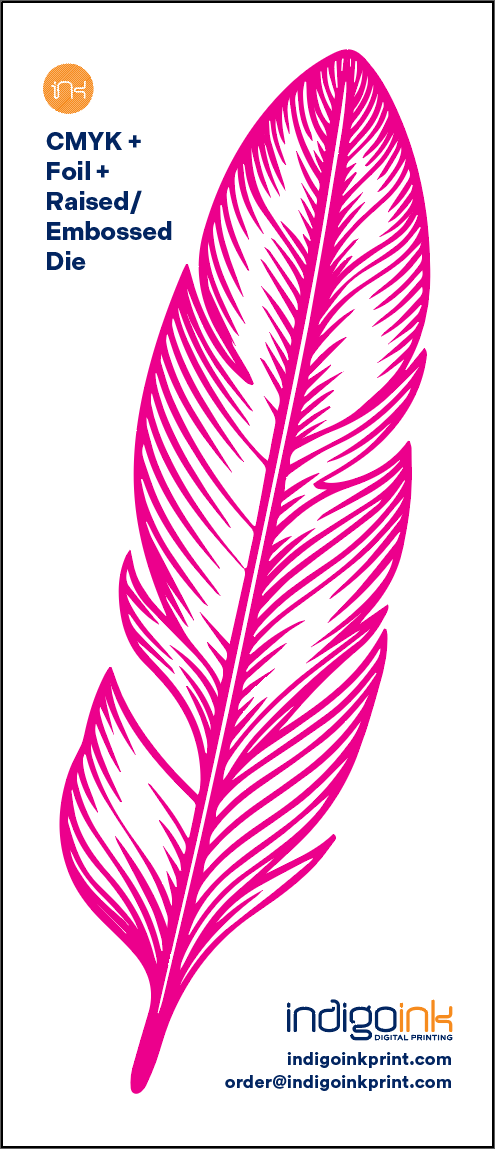
Traditional foil stamping with embossing creates stunning raised relief effects. Foil elements are identified with 100% Magenta (not a spot color) and separated by production for die creation.

Credit: Black Birch Design Studio

About Embossed Foil

Traditional foil stamping with embossing creates a stunning raised relief effect on the paper surface. The copper emboss die layer shows the tooling used to press the foil into the substrate, creating tactile dimension that catches light and invites touch. Combined with full-color CMYK printing, this technique delivers premium results that stand out.

Unlike digital HP Indigo foil which uses spot colors, traditional foil uses a simple 100% Magenta callout to identify foil areas. Project managers then separate the foil and CMYK elements and create the die file for production.

Best Practices

File Setup

Adobe Illustrator

Traditional Foil Setup

Using 100% Magenta as foil callout (NOT a spot color)

Step 1 of 6
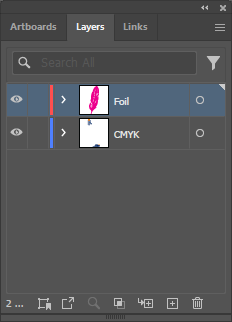
Illustrator Layers Panel

Organize Your Layers

Separate your artwork into distinct layers: one for CMYK artwork and one for foil elements. This organization is essential because production will split these apart for die creation.

💡

Name your layers clearly (e.g., "CMYK Art" and "Foil") to make file handoff easier.

Foil Artwork Selection

Identify Foil Elements

Select all artwork elements that will receive the foil treatment. These typically include logos, decorative elements, or typography that you want to have a metallic finish.

💡

Foil works best with solid shapes and bold typography. Fine details may not foil cleanly.

100% Magenta Swatch

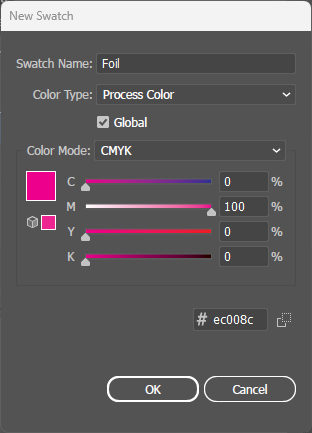
Apply 100% Magenta

Color all foil elements with 100% Magenta. Use a standard process color swatch - NOT a spot color.

⚠️

Important: Traditional foil does NOT use a spot color. The 100% Magenta simply identifies which elements will be foil-stamped. Production will separate these elements manually.

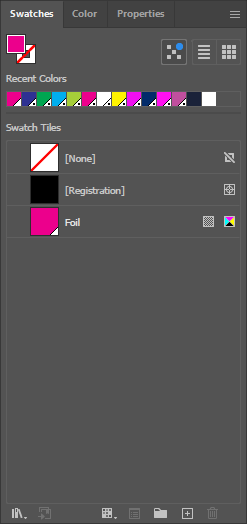
Swatches Panel

Verify Color Setup

Check the Swatches panel to confirm Magenta is set as a process color, not a spot color. Process colors don't have a white triangle indicator.

💡

If you accidentally created a spot color, double-click the swatch and change "Color Type" to "Process Color".

Combined Preview with Overprint

Enable Overprint Fill

With your foil artwork selected, go to Window > Attributes and check Overprint Fill. This allows foil to be stamped directly on top of CMYK artwork.

⚠️

Critical: Overprint must be enabled. Without it, foil areas will knock out underlying artwork, causing gaps and registration issues.

PDF Export Settings

Export PDF with Layers Preserved

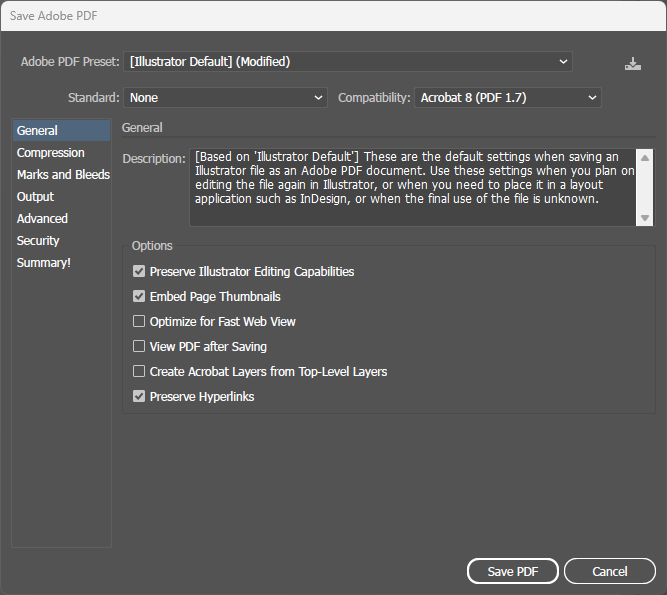
When saving to PDF, you must enable the option "Preserve Illustrator Editing Capabilities". This allows production to access the separate layers for die file creation.

⚠️

Critical: Without this setting, production cannot split your foil and CMYK layers apart. The die file cannot be created from a flattened PDF.

💡

This setting is in File > Save As > Adobe PDF, under the "General" options.